Temporal and the end of new Date() (and the date bugs we put up with for 30 years)

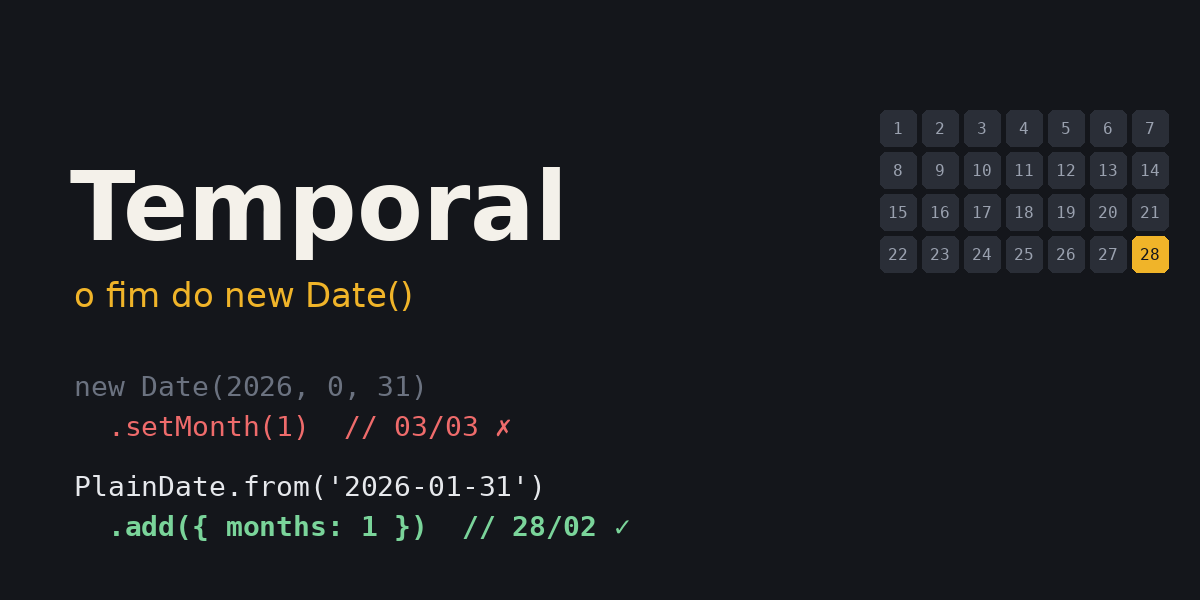
Every JavaScript developer has a story with Date. The report that showed the previous day. The due date that jumped from January 31 to March 3. The birth date that changed when the user was in another time zone. The 300KB moment installed just to add a month.
Date was created in 1995, in a few days, copied from java.util.Date. Java itself deprecated most of that API shortly afterwards. JavaScript kept it for 30 years.
That's over. In March 2026 Temporal reached Stage 4 at TC39 and became part of ECMAScript 2026. It already runs without flags in Chrome, Edge, Firefox and Node 26.
This article is about what actually got better. With real, running examples, side by side with new Date().
The real problem with Date
Before the examples, it's worth understanding the root cause. Date mixes two completely different things into one object:
- An instant in time: an exact point in history, the same for everyone on the planet. Under the hood,
Dateis just that: milliseconds since 1970. - A "calendar" date and time: what you read on the wall clock. "October 1st, 10am". That depends on where you are.
Date stores the first, but almost its entire API makes you work with the second, converting implicitly through the machine's time zone. Most bugs come from that mix.
Temporal splits the two into different types. And that design decision solves more problems than any new method.
What got better, in practice
All the examples below ran with the America/Sao_Paulo time zone.
1. Months start at 1 (finally)
new Date(2026, 1, 10)
// Tue Feb 10 2026 → February, because months start at 0

Temporal.PlainDate.from({ year: 2026, month: 2, day: 10 })
// 2026-02-10 → February, because February is month 2
Sounds silly, but how many month + 1 and month - 1 have you seen scattered across a codebase?
2. Immutable
// ❌ Date
const start = new Date(2026, 9, 1)
const end = start
end.setDate(end.getDate() + 7)

start.toDateString() // "Thu Oct 08 2026" 😬
end.toDateString()   // "Thu Oct 08 2026"
Date setters mutate the object. Passed the date to a function that called setDate? Your date changed too. Classic bug in React state, in date-range filters, anywhere a date is shared.
// ✅ Temporal
const start = Temporal.PlainDate.from('2026-10-01')
const end = start.add({ days: 7 })

start.toString() // "2026-10-01"
end.toString()   // "2026-10-08"
No Temporal method mutates the object. add, subtract, with, round: they all return a new object.
3. Parsing without time zone surprises
This is probably the most common date bug in Brazil (and anywhere west of UTC):
const date = new Date('2026-10-01')

date.toString()
// "Wed Sep 30 2026 21:00:00 GMT-0300" 😬
date.getDate()
// 30
A date-only string (YYYY-MM-DD) is parsed as midnight UTC. In São Paulo, that's 9pm the previous day. Now, if you pass '2026-10-01T00:00' (with a time and no Z), it's parsed as local time. Two almost identical strings, two different behaviors.
That's how "the due date shows one day earlier on the front end" is born.
Temporal.PlainDate.from('2026-10-01').day
// 1
A PlainDate is a calendar date, with no time and no time zone. There's no implicit conversion to anywhere. October 1st is October 1st.
4. Adding months without jumping to March
A payment due every 31st, starting in January:
// ❌ Date
const d = new Date(2026, 0, 31)
d.setMonth(d.getMonth() + 1)
d.toDateString() // "Tue Mar 03 2026" 😬
Date tries to create February 31, which doesn't exist, and "overflows" the extra days into March.
// ✅ Temporal
const due = Temporal.PlainDate.from('2026-01-31')

due.add({ months: 1 }) // 2026-02-28
due.add({ months: 2 }) // 2026-03-31
due.add({ months: 3 }) // 2026-04-30

Temporal.PlainDate.from('2024-01-31').add({ months: 1 }) // 2024-02-29 (leap year)
By default, Temporal clamps to the last valid day of the month. And notice a detail: since each addition starts from the original date, the due date goes back to the 31st in March. With chained setMonth calls, that would be lost.
And if, for your business rule, an invalid date must be an error, you ask for that explicitly:
due.add({ months: 1 }, { overflow: 'reject' })
// RangeError
5. Date differences that don't depend on millisecond math
The "classic" way to count days with Date is to subtract and divide by 86400000. It works... until it doesn't.
Remember daylight saving time? In 2018 it started in Brazil on November 4. That day had 23 hours:
// ❌ Date (TZ=America/Sao_Paulo)
const a = new Date(2018, 10, 3)
const b = new Date(2018, 10, 5)

(b - a) / 86400000             // 1.9583333333333333
Math.floor((b - a) / 86400000) // 1 😬
From November 3 to 5 is 2 days. The code says 1.
// ✅ Temporal
Temporal.PlainDate.from('2018-11-03').until('2018-11-05').days
// 2
Brazil hasn't had DST since 2019, but the US, Europe, Chile and Paraguay still do. And bringing it back gets discussed here every now and then. Code that relies on "one day = 86,400,000 ms" is a bug waiting for the right time zone.
And until does a lot more than count days:
const today = Temporal.PlainDate.from('2026-10-01')
const christmas = Temporal.PlainDate.from('2026-12-25')

today.until(christmas).days                                // 85
today.until(christmas, { largestUnit: 'months' }).toString() // "P2M24D" → 2 months and 24 days

// age
Temporal.PlainDate.from('1990-05-15')
  .until(today, { largestUnit: 'years' }).years            // 36
Calculating age with Date is that 10-line function every project has, and it always has a bug on the birthday itself. With Temporal it's one line.
6. Real time zones
Date only knows two time zones: UTC and the machine's. Want to know what time a meeting will be in Lisbon? External library or manual math.
const meeting = Temporal.ZonedDateTime.from({
  year: 2026, month: 10, day: 15, hour: 10,
  timeZone: 'America/Sao_Paulo',
})

meeting.toString()
// "2026-10-15T10:00:00-03:00[America/Sao_Paulo]"

meeting.withTimeZone('Europe/Lisbon').toPlainTime().toString()    // "14:00:00"
meeting.withTimeZone('America/New_York').toPlainTime().toString() // "09:00:00"
meeting.withTimeZone('Asia/Tokyo').toString()
// "2026-10-15T22:00:00+09:00[Asia/Tokyo]"
Look at the string: it carries the offset (-03:00) and the time zone ([America/Sao_Paulo]). That's the RFC 9557 format, an extension of ISO 8601. The offset pins down the exact instant; the zone name gives the rules for doing math later. A plain ISO string (2026-10-15T13:00:00Z) loses that second piece of information.
7. Daylight saving time without traps
Adding "1 day" and adding "24 hours" look like the same thing. They're not. In the US, DST in 2026 starts on March 8:
const saturday = Temporal.ZonedDateTime.from('2026-03-07T12:00[America/New_York]')

saturday.add({ days: 1 }).toString()
// "2026-03-08T12:00:00-04:00[America/New_York]" → same time the next day

saturday.add({ hours: 24 }).toString()
// "2026-03-08T13:00:00-04:00[America/New_York]" → 24 real hours later
Both are correct, because they mean different things. "Remind me tomorrow at noon" is days: 1. "Token expires in 24 hours" is hours: 24. Temporal forces you to say which one you mean.
And my favorite example, very Brazilian: on November 4, 2018, DST started at midnight in São Paulo. The clock jumped from 23:59:59 straight to 01:00. Midnight didn't exist.
// ❌ Date
new Date(2018, 10, 4).toString()
// "Sun Nov 04 2018 01:00:00 GMT-0200" → you asked for midnight, you got 1am
Anyone with code assuming "start of day = 00:00" broke on that day. Report filters, scheduling, date comparisons.
// ✅ Temporal
const day = Temporal.ZonedDateTime.from('2018-11-04T12:00[America/Sao_Paulo]')

day.startOfDay().toString()
// "2018-11-04T01:00:00-02:00[America/Sao_Paulo]" → the real start of the day
day.hoursInDay
// 23
startOfDay() knows that day started at 01:00. hoursInDay knows it had 23 hours. And if your system needs to treat a nonexistent time as an error, you can do that too:
Temporal.ZonedDateTime.from(
  '2018-11-04T00:30[America/Sao_Paulo]',
  { disambiguation: 'reject' }
)
// RangeError
8. Comparing and sorting
const dates = ['2026-12-25', '2026-01-31', '2026-10-01']
  .map((s) => Temporal.PlainDate.from(s))

dates.sort(Temporal.PlainDate.compare)
// [2026-01-31, 2026-10-01, 2026-12-25]

Temporal.PlainDate.from('2026-10-01').equals(Temporal.PlainDate.from('2026-10-01')) // true
new Date(2026, 9, 1) === new Date(2026, 9, 1)                                       // false
Each type has a static compare that plugs straight into sort, and an equals. No more getTime() to compare.
Don't use < and > with Temporal objects. Unlike Date, they throw on purpose:
Temporal.PlainDate.from('2026-01-01') < Temporal.PlainDate.from('2026-02-01')
// TypeError: Do not use built-in arithmetic operators with Temporal objects...
Annoying the first time, but it prevents silently wrong comparisons.
9. Durations as first-class citizens
const duration = Temporal.Duration.from({ minutes: 150 })

duration.round({ largestUnit: 'hours' }).toString() // "PT2H30M"
duration.total({ unit: 'hours' })                   // 2.5
With Date, a duration is a loose number of milliseconds you have to remember the meaning of. With Temporal, it's an object that knows what it is, serializes to ISO 8601 (PT2H30M), and can be added to any date.
10. Utilities you always wrote by hand
const date = Temporal.PlainDate.from('2026-02-10')

date.with({ day: 1 }).toString()                 // "2026-02-01" → first day of the month
date.with({ day: date.daysInMonth }).toString()  // "2026-02-28" → last day of the month
date.daysInMonth                                 // 28
date.inLeapYear                                  // false

Temporal.PlainDate.from('2026-10-01').dayOfWeek  // 4 → Thursday (Monday = 1, Sunday = 7)
dayOfWeek starts at 1 on Monday, following ISO. Unlike getDay(), which starts at 0 on Sunday. Another + 1 gone from the codebase.
Which type to use
This is the part that scares people at first: there are several types. But each one exists for a case, and picking the right type already eliminates an entire category of bugs.
| Case | Type |
|---|---|
Log timestamp, created_at, system event | Temporal.Instant |
| Meeting, flight, scheduling with a time zone | Temporal.ZonedDateTime |
| Birthday, due date, holiday | Temporal.PlainDate |
| Store opening hours, daily alarm | Temporal.PlainTime |
| Date and time from a form, with no defined zone | Temporal.PlainDateTime |
| Billing month, card expiry | Temporal.PlainYearMonth |
| A date that repeats every year (Christmas, birthday) | Temporal.PlainMonthDay |
| How long something takes | Temporal.Duration |
| Now | Temporal.Now |
The rule I use: if it's a moment that happened, it's an Instant. If it's something a person marked on a calendar, it's Plain*. If it needs a time zone to make sense, it's ZonedDateTime.
And a warning about Temporal.Now: Temporal.Now.plainDateISO() uses the machine's time zone. On a server, that's usually UTC. If the business rule is "today in Brazil", pass the time zone explicitly:
Temporal.Now.plainDateISO('America/Sao_Paulo')
Serialization and databases
Temporal objects turn into ISO strings in JSON.stringify automatically:
JSON.stringify({ meeting })
// '{"meeting":"2026-10-15T10:00:00-03:00[America/Sao_Paulo]"}'
But the way back isn't automatic. JSON.parse returns a string, and you convert it with from():
const received = Temporal.ZonedDateTime.from(json.meeting)
For the database, the rule that works well:
- Event timestamp: store it as an
Instant(timestamptzcolumn in Postgres, or ISO withZ). - Future scheduling with a time zone: store the instant and the zone name. Time zone rules change (Brazil's did in 2019), and "meeting at 10am in São Paulo" must stay at 10am.
- Plain date: store it as
date, not as a timestamp. It's just 2026-10-01, with no midnight anywhere.
Living with legacy code
You won't rewrite the whole project, and you don't need to. Conversion is simple both ways:
// Date → Temporal
const legacy = new Date('2026-10-01T13:00:00Z')
const instant = Temporal.Instant.fromEpochMilliseconds(legacy.getTime())

instant.toZonedDateTimeISO('America/Sao_Paulo').toString()
// "2026-10-01T10:00:00-03:00[America/Sao_Paulo]"

// Temporal → Date (for a library that still expects Date)
new Date(instant.epochMilliseconds)
In environments with native support, there's also legacy.toTemporalInstant().
My migration suggestion: start at the edges. Date utility functions (those formatDate, addMonths, diffInDays every project has) switch to Temporal internally, and the rest of the code migrates gradually.
Formatting
Temporal doesn't invent its own formatting system. It uses Intl, which you already know:
meeting.toLocaleString('pt-BR', { dateStyle: 'full', timeStyle: 'short' })
// "quinta-feira, 15 de outubro de 2026 às 10:00"

Temporal.PlainDate.from('2026-10-01').toLocaleString('pt-BR')
// "01/10/2026"
If you installed moment or dayjs just for formatting, Intl already had you covered. Now Temporal covers the rest.
Can I use it today?
It depends on where your code runs.
| Environment | Support |
|---|---|
| Chrome / Edge | ✅ 144+ (January 2026) |
| Firefox | ✅ 139+ |
| Node.js | ✅ 26+ (no flag) |
| Safari (macOS/iOS) | ⏳ Technology Preview only |
On the back end with Node 26+, you can use it today, natively.
On the front end, Safari doesn't have stable support yet, and that includes every browser on iOS. In practice, that means a polyfill:
npm i @js-temporal/polyfill
import { Temporal } from '@js-temporal/polyfill'
There's also temporal-polyfill, maintained by the FullCalendar folks, which is much smaller and worth considering if bundle size matters to you.
Import Temporal from a module of your own (src/lib/temporal.ts) that re-exports the polyfill. When Safari ships stable support, you change one line and drop the dependency.
What about date-fns, dayjs, luxon? They keep working, nobody will force you to migrate tomorrow. But for a new project, I wouldn't install any of them anymore. The reason they existed was precisely to make up for Date.
What I learned testing it
A few things that caught me:
Several types are scary at first. The first reaction is "why not just one object?". But after a while you realize the type documents intent. A PlainDate in a function signature says much more than a Date.
< throws. I mentioned it above, but it will happen to you. Use compare.
PlainDateTime isn't an improved Date. It has no time zone. If you convert a PlainDateTime to an instant, you'll have to say which time zone it belongs to. That's good, but it's different from what we're used to.
The server is in UTC. Temporal.Now without an explicit time zone gives you the server's "today", not the user's. That bug is still possible; it just became more visible.
Conclusion
Temporal isn't just a nicer API. It fixes Date's problems by separating concepts that should never have been together:
- Instant ≠ calendar date: each with its own type.
- Immutable: no date changes behind your back.
- Real time zones: any time zone, not just UTC and the machine's.
- Correct arithmetic: months, days, DST and leap years handled by the API, not by you.
- Explicit errors:
<throws,overflow: 'reject',disambiguation: 'reject'. Better an error right away than wrong data in production.
It took 9 years of proposal work to reach Stage 4. Worth the wait.
On the back end with Node 26, use it today. On the front end, use it with a polyfill and leave the path ready to remove it when Safari arrives.
And if you have a diffInDays function with / 86400000 in your project... maybe take a look at it today.
References
- Temporal (MDN)
- TC39 Temporal proposal (GitHub)
- Temporal documentation and cookbook (TC39)
- The History of Date in JavaScript (NodeSource)
- Can I use: Temporal
- @js-temporal/polyfill (npm)
- FullCalendar's temporal-polyfill (GitHub)
- RFC 9557: Date and Time on the Internet: Timestamps with Additional Information