Keep your libraries up to date with npm-check

One of the hardest things in a Node project is keeping libraries up to date. Anyone who works with package management using Node knows exactly what I am talking about. In production, a project can easily scale its libraries — and consequently the sub-dependencies that come along — making the task of keeping everything updated quite challenging.
Nothing is worse than going weeks or months without updating the project and then being faced with countless pending updates, or even having to do it manually for each library in the project. It can be very time-consuming and tedious.
To make this process easier, I use tools like npm-check to monitor new versions of the libraries I use.
Major
Here is an example of usage:
$ npx npm-check -u
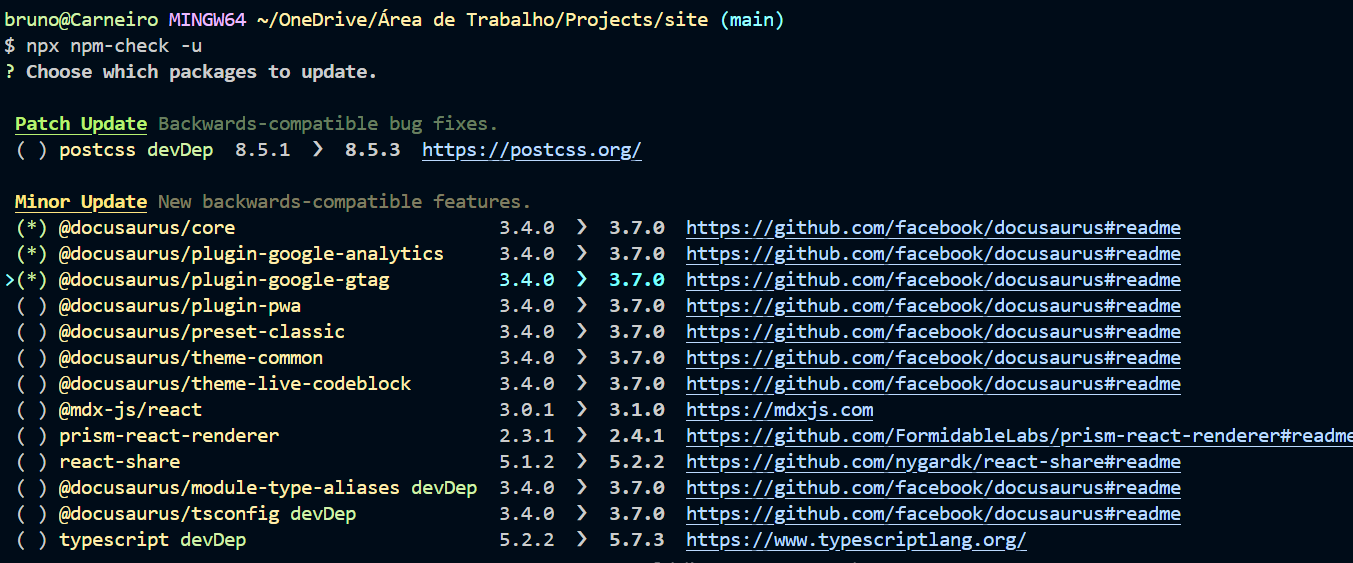
Just select which dependencies you want to update and proceed with the installation.
⚠️ Pay attention to Major releases: these versions may contain breaking changes that impact the code. I strongly recommend updating manually, directly through the library, to better understand the changes made.
Minor and patch

Minor and patch releases are usually simpler to update, but even so, it is important to review the changes. npm-check already makes this easier by displaying the library's repository next to the update.
Notused
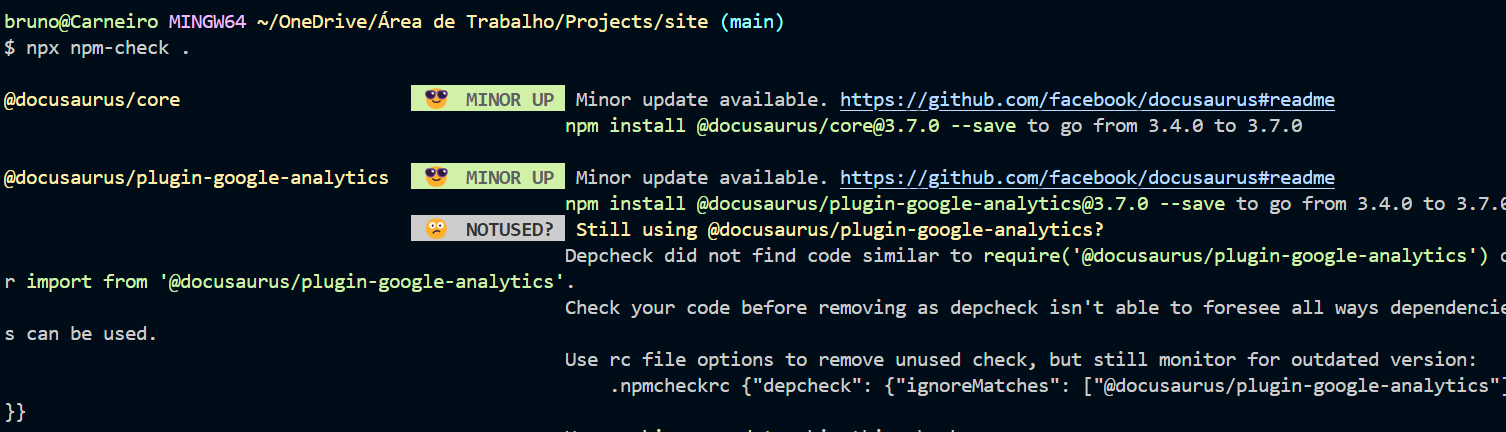
Another thing I find very interesting is checking which libraries need updating, as well as identifying cases where they are no longer being used in the project.
$ npx npm-check
Conclusion
This is a way I find much easier for updating my projects, identifying libraries that have new versions available. I have been using npm-check for a long time, and it is a tool that makes my daily life as a developer much easier.
There are other libraries that also perform this kind of check, but for me, npm-check is one of the best and solves the update problem in a very clear and objective way.