Icon standardization in a React project


A simple thing that can turn into a big problem for web projects is icon organization.
It is extremely common to use libraries like HugeIcons, Lucide, Material Icons, Font Awesome, React Icons, and many others. It is also quite natural for the team or designer responsible for the project to create their own icons according to the project's and team's needs.
This scale and mix of icons can lead to a lack of standardization in the project — many libraries export similar icons with a wide range of characteristics.
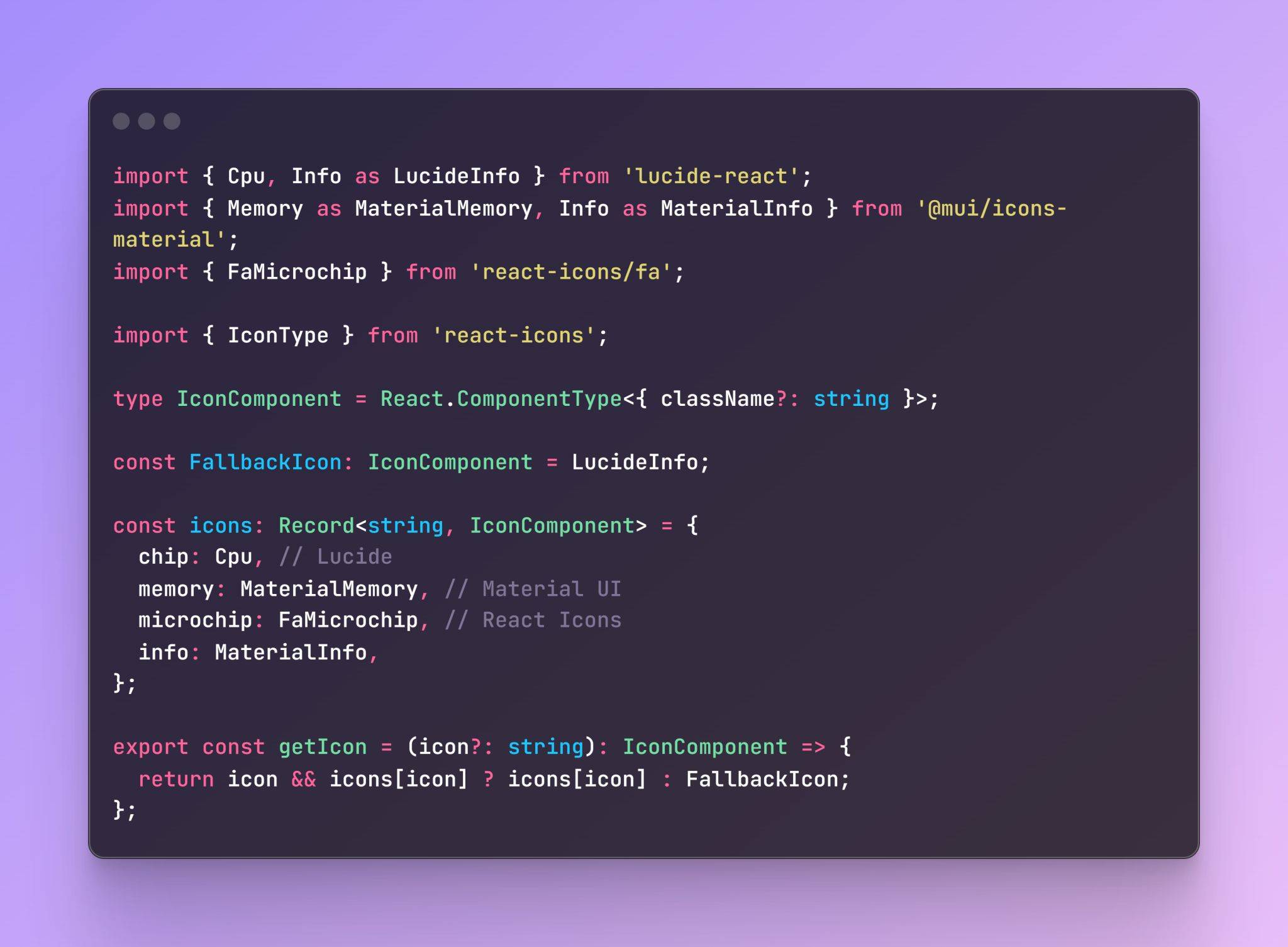
One approach I like to use to avoid this problem is to standardize icons in a single file, exporting only those that are allowed in the project.
This prevents icons that are outside the project's standard from being used.
Pros of this approach
-
Icon standardization.
-
Typing with all possible exported icons already available, making usage easier.
-
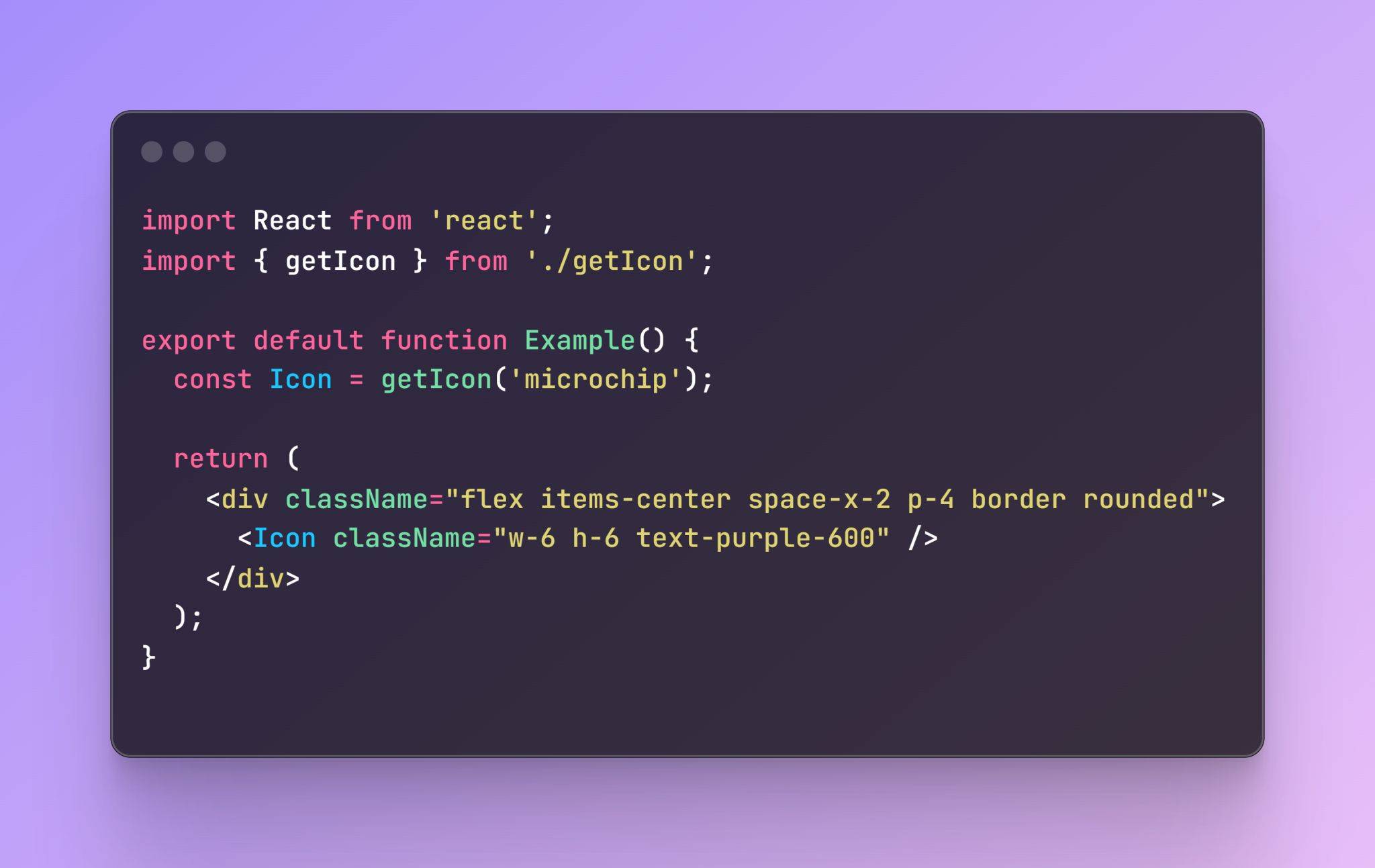
File organization: there is no need to remember which library an icon comes from — just call getIcon.
-
Facilitates the scalability of getIcon and the icon structure in the project.
-
Easy to understand.
-
Makes testing and mocking easier.
-
Makes it simple to add new libraries/icons or even replace them.
Cons
-
Requires more upfront work: all icons in use must be manually exported.
-
Every time a new icon is added, it needs to be included in the central file.
-
Does not support dynamic imports or lazy loading.
-
Can produce a silent error if a requested icon does not exist.
Component structure
Usage
Conclusion
This approach I used needs to evolve to handle larger projects, but as an initial starting point for consistent standardization and project evolution it helps a great deal, and can serve as the center of icon organization.